AI Photo Prompts

Copy-and-paste prompts that turn your own photo into a festival portrait, a saree look, a couple shot or this week's trend. Every prompt is shown on a real photo, and you can use it in Gemini or ChatGPT, or generate it with your photo right here.

  • Free to copy
  • Every example is real output
  • Works in Gemini, ChatGPT and Renoir

Browse by topic

One favourite from each topic. Open a topic for more.

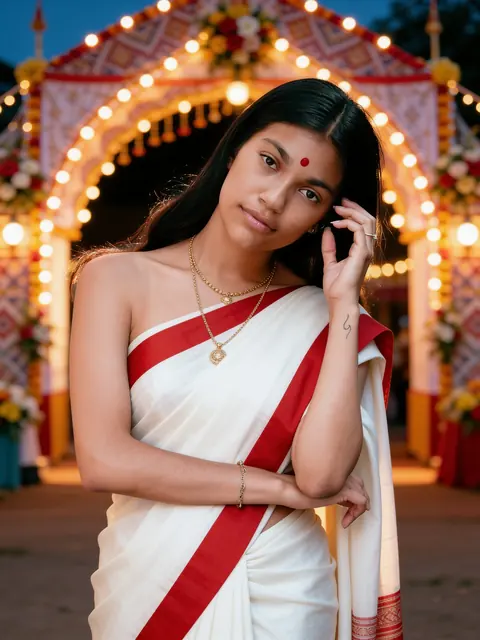
Result: Red-bordered saree at the pandalResult
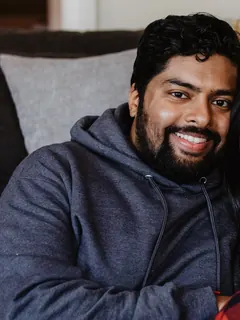
PhotoPhoto

Red-bordered saree at the pandal

The classic Pujo saree in front of a lit pandal entrance.

One woman

Show prompt

Edit the uploaded photo into a new photorealistic portrait of the SAME WOMAN. Keep her face, facial structure, skin tone, age, hairline and natural expression recognizable and unchanged. Do not beautify, slim, de-age or change her ethnicity. She wears a classic white saree with a wide red border, gold jewellery and a small red bindi, standing in front of the softly blurred entrance arch of a festival pandal decorated only with strings of lights, flowers and patterned cloth — no statues, no figures and no deities anywhere in the picture. Warm evening light. Natural skin texture, realistic light, sharp focus on her face. Exactly one person. No text, no watermark.
Result: Silk saree among diyasResult
PhotoPhoto

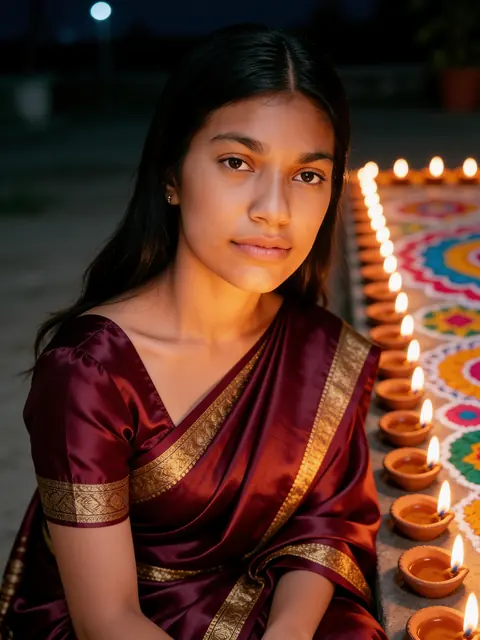
Silk saree among diyas

Rows of lit diyas and a rangoli, with lamplight on the face.

One woman

Show prompt

Edit the uploaded photo into a new photorealistic portrait of the SAME WOMAN. Keep her face, facial structure, skin tone, age, hairline and natural expression recognizable and unchanged. Do not beautify, slim, de-age or change her ethnicity. She wears a deep maroon silk saree with gold zari and sits beside rows of lit clay diyas and a colourful rangoli, the warm lamplight glowing softly on her face at night. Natural skin texture, realistic light, sharp focus on her face. Exactly one person. No text, no watermark.
Result: Red Banarasi in a palaceResult
PhotoPhoto

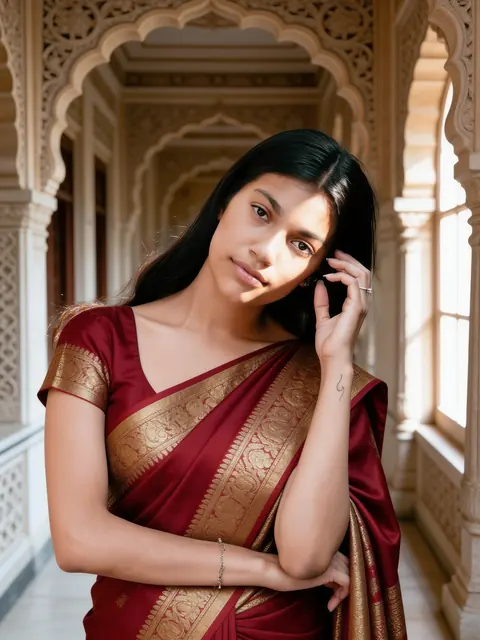
Red Banarasi in a palace

Gold brocade silk in a carved heritage corridor.

One woman

Show prompt

Edit the uploaded photo into a new photorealistic portrait of the SAME WOMAN. Keep her face, facial structure, skin tone, age, hairline and natural expression recognizable and unchanged. Do not beautify, slim, de-age or change her ethnicity. She wears a rich red Banarasi silk saree with gold brocade and stands in a heritage palace corridor with carved stone arches, soft window light on her face. Natural skin texture, realistic light, sharp focus on her face. Exactly one person. No text, no watermark.
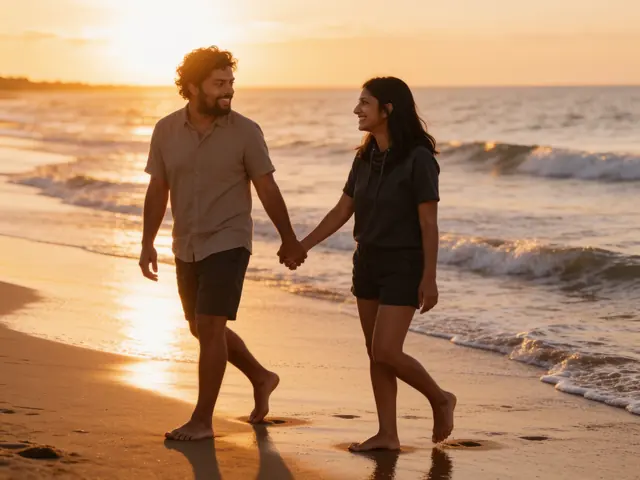
Result: Sunset beach walkResult
PhotoPhoto

Sunset beach walk

Holding hands barefoot along the waves at golden hour.

Couple

Show prompt

Edit the uploaded photo into a new photorealistic photo of the SAME TWO PEOPLE. Keep both faces, facial structures, skin tones, ages and hairlines recognizable and unchanged, and keep who stands on which side. Do not beautify, slim, de-age or change their ethnicity. The two walk barefoot along a beach at sunset holding hands and looking at each other, warm backlight and gentle waves, in casual summer clothes. Natural skin texture, realistic light, sharp focus on both faces. Exactly two people. No text, no watermark.

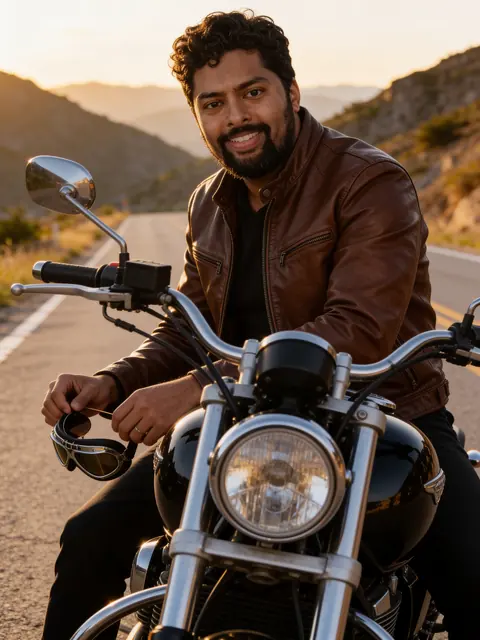
Result: Motorcycle at golden hourResult
PhotoPhoto

Motorcycle at golden hour

A leather jacket on a classic bike on a mountain road.

One man

Show prompt

Edit the uploaded photo into a new photorealistic portrait of the SAME MAN. Keep his face, facial structure, skin tone, age, hairline, beard and natural expression recognizable and unchanged. Do not beautify, slim, de-age or change his ethnicity. He sits on a classic black motorcycle on an empty mountain road at golden hour, wearing a brown leather jacket and holding aviator sunglasses. Natural skin texture, realistic light, sharp focus on his face. Exactly one person. No text, no watermark.

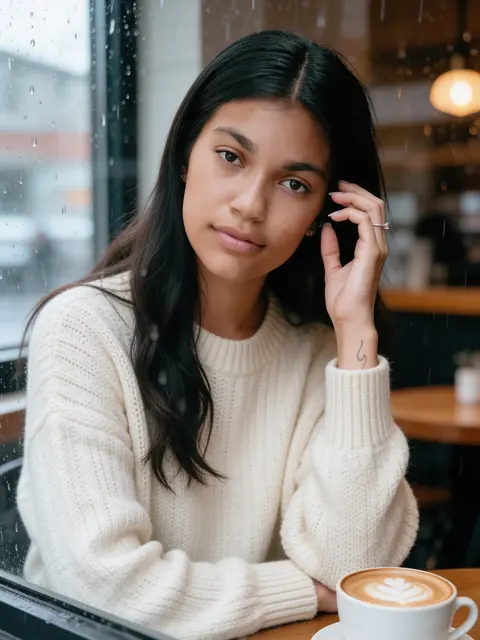
Result: Rainy café windowResult
PhotoPhoto

Rainy café window

A knit sweater, a latte and raindrops on the glass.

One woman

Show prompt

Edit the uploaded photo into a new photorealistic portrait of the SAME WOMAN. Keep her face, facial structure, skin tone, age, hairline and natural expression recognizable and unchanged. Do not beautify, slim, de-age or change her ethnicity. She sits at a cosy café window with a latte, wearing a cream knit sweater, soft rainy-day light and raindrops on the glass. Natural skin texture, realistic light, sharp focus on her face. Exactly one person. No text, no watermark.
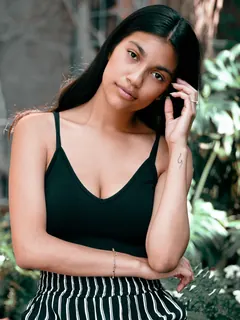
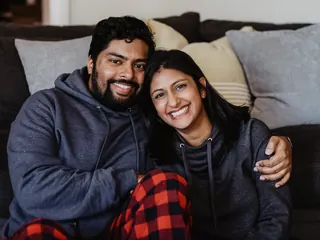
Examples are unretouched Seedream 4.5 Edit results from stock photos (Sarah Pflug / Burst, Shopify Photos / Burst). Results vary with your photo.

Prompts stay in English: image models follow them most reliably. Opens the Renoir studio with this prompt. Add your photo and generate — 3 credits per image.

What makes a good AI photo prompt

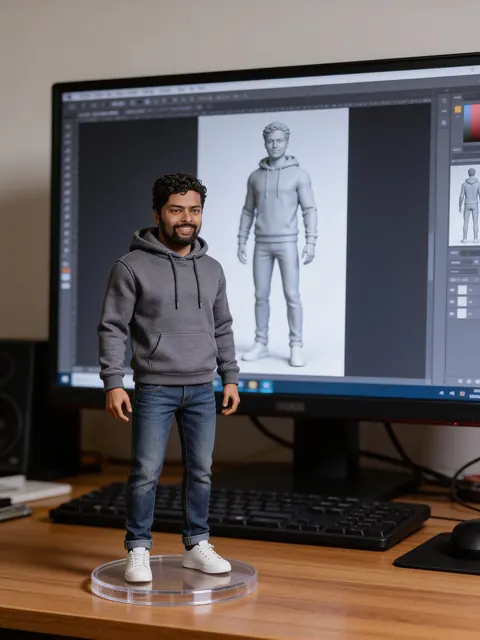
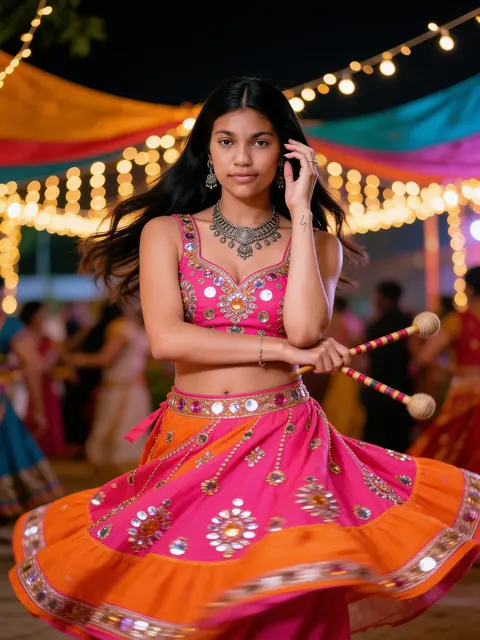
AI photo prompts are short instructions you send to an image model together with your own photo. Instead of drawing someone new, the model redraws you: in a Navratri chaniya choli, a Kanjivaram saree, on a rainy street at night or as a collectible figure on your desk. Every prompt on these pages is written to keep your face, skin tone and age the same, and every example you see is the unretouched result of that exact prompt on a real stock photo. Browse by topic, copy a prompt into Gemini or ChatGPT, or use it with your photo right here in Renoir.

Each prompt here is built from three parts. Knowing them makes it easy to write your own or change ours.

1. Keep the person

The first sentence tells the model to edit your photo into a portrait of the same person, and not to change the face, skin tone, age or ethnicity. Without it, most models quietly replace your face with a prettier stranger.

Edit the uploaded photo into a new photorealistic portrait of the SAME WOMAN. Keep her face, facial structure, skin tone, age, hairline and natural expression recognizable and unchanged.

2. Describe the scene

The middle describes what should change: the clothes with their colour and fabric, what you are holding, the place, the light and the mood. Be specific — “emerald green Kanjivaram silk with a wide gold border” works far better than “a nice saree”.

She wears an emerald green Kanjivaram silk saree with a wide gold border and gold jewellery, jasmine flowers in her hair, in a sunlit stone courtyard with old pillars, soft morning light.

3. Ask for a clean finish

The last sentence asks for natural skin, realistic light and a sharp face, fixes the number of people and rules out text and watermarks — the most common ways a result goes wrong.

Natural skin texture, realistic light, sharp focus on her face. Exactly one person. No text, no watermark.
How to use these prompts

The same prompt works in Gemini, ChatGPT and Renoir. Upload one clear photo, then:

Gemini

  1. Open Gemini in your browser or the app.
  2. Attach your photo with the + button.
  3. Paste the prompt into the same message and send.
  4. If the face drifts, reply “keep my face exactly as in the photo” and send again.

ChatGPT

  1. Open a new chat in ChatGPT.
  2. Attach your photo with the + button.
  3. Paste the prompt in the same message and send.
  4. Ask for changes in a follow-up message, such as a different colour or a vertical crop.

Renoir

  1. Press Use with my photo under any prompt.
  2. The studio opens with the prompt and the Seedream 4.5 Edit model ready.
  3. Add your photo and press Generate.
  4. Download the result, or edit the prompt and generate again.

If the result isn't right

The face does not look like me

Use a sharp, front-facing photo where your face fills a good part of the frame, without sunglasses or heavy filters. Keep the prompt's first sentence unchanged, and generate again — each attempt is different.

The clothes are wrong or generic

Name the garment, colour, fabric and details together, as in “royal blue mirror-work lehenga”. Models fall back to a generic outfit when the description is vague.

Extra people or a face appears twice

Keep “Exactly one person” or “Exactly two people” in the last sentence, and use a photo with only the people you want. Busy scenes such as festival crowds can still add faces in the background; generate again if one looks like you.

Text, logos or watermarks show up

Keep “No text, no watermark” in the prompt and avoid asking for posters, signs or brand names. Garbled lettering is a sign to generate again.

Frequently asked questions

What is an AI photo prompt?

It is the text you give an AI image model together with your photo, describing what to change: the clothes, the place, the light and the mood. These prompts also ask the model to keep your face as it is, so the result still looks like you.

How do I use these prompts with my own photo?

Copy the prompt, open Gemini, ChatGPT or another image model that accepts a photo, upload your picture and paste the prompt. Or press Use with my photo: the Renoir studio opens with the prompt ready, and you add your photo there.

Are the prompts free?

Yes. Copying prompts is free and needs no account. Generating in Renoir uses credits, shown before you generate.

Will the result look like me?

The prompts ask the model to keep your face, skin tone and age unchanged, and most results do. Small differences can still happen, especially when the face is small or turned away; a clear, front-facing photo gives the closest likeness.

Are the example pictures real?

Yes. Each example is the unretouched result of that exact prompt on a stock photo whose source is credited on the page. Prompts whose test results were not good enough are shown without an example.

Can I use a photo of someone else?

Only use photos of yourself or of people who have agreed. Do not use these prompts to imitate public figures or to make pictures that could mislead or embarrass someone.

Do these prompts work in Gemini and ChatGPT?

Yes. Attach your photo and paste the prompt in the same message. Results differ between models; the examples on this page were made with Seedream 4.5 Edit, which is also what Renoir uses when you press Use with my photo.

Why are the prompts in English?

Image models follow English descriptions of clothes, light and camera most reliably, so the prompts stay in English on every language version of this page. You can add details in your own language, but results are more consistent in English.