For a CV
Choose a simple background and a calm expression. Crop vertically and leave enough room around your head; use a photo only if it suits your application.
Create an AI headshot for your CV, LinkedIn profile or website from one clear photo. Choose your setting. Keep your character.
Face the camera in soft daylight. Show your face and shoulders without filters or sunglasses.
1 free preview per 24 hours. Sign in to download the same portrait in full resolution, without a watermark.
Restoring your portrait…
Example · real source photo
Private on Renoir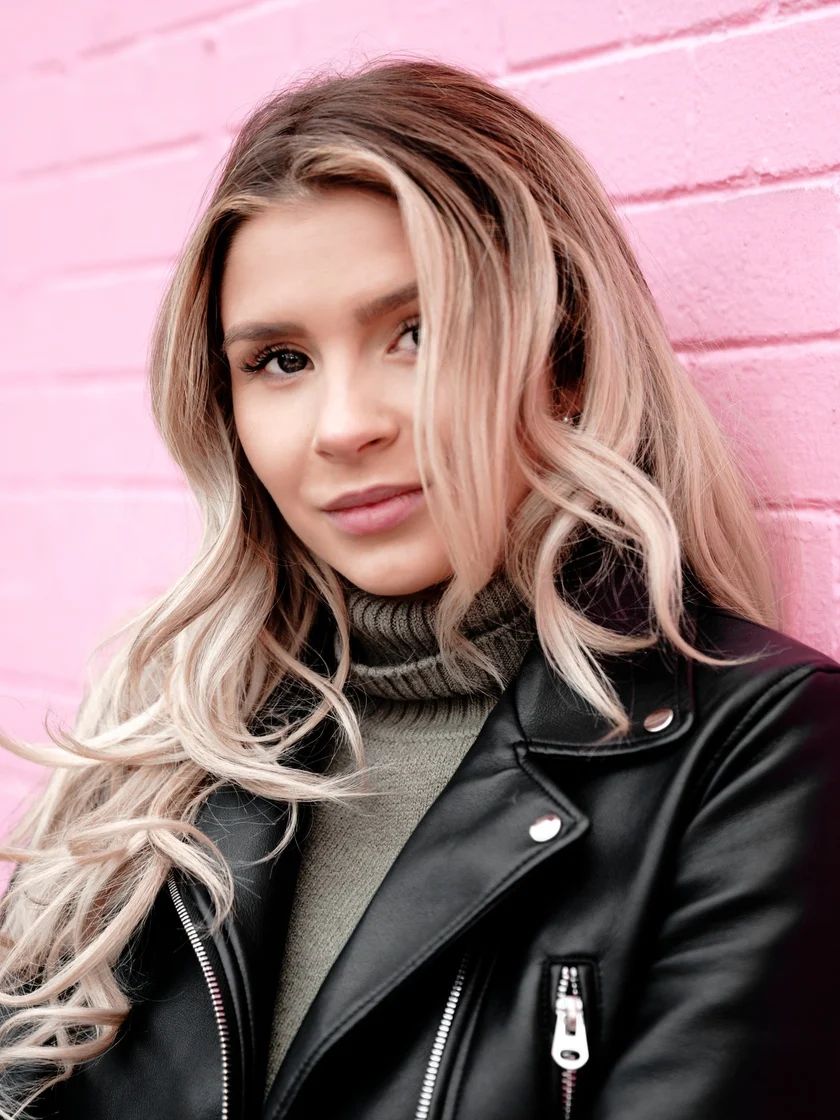
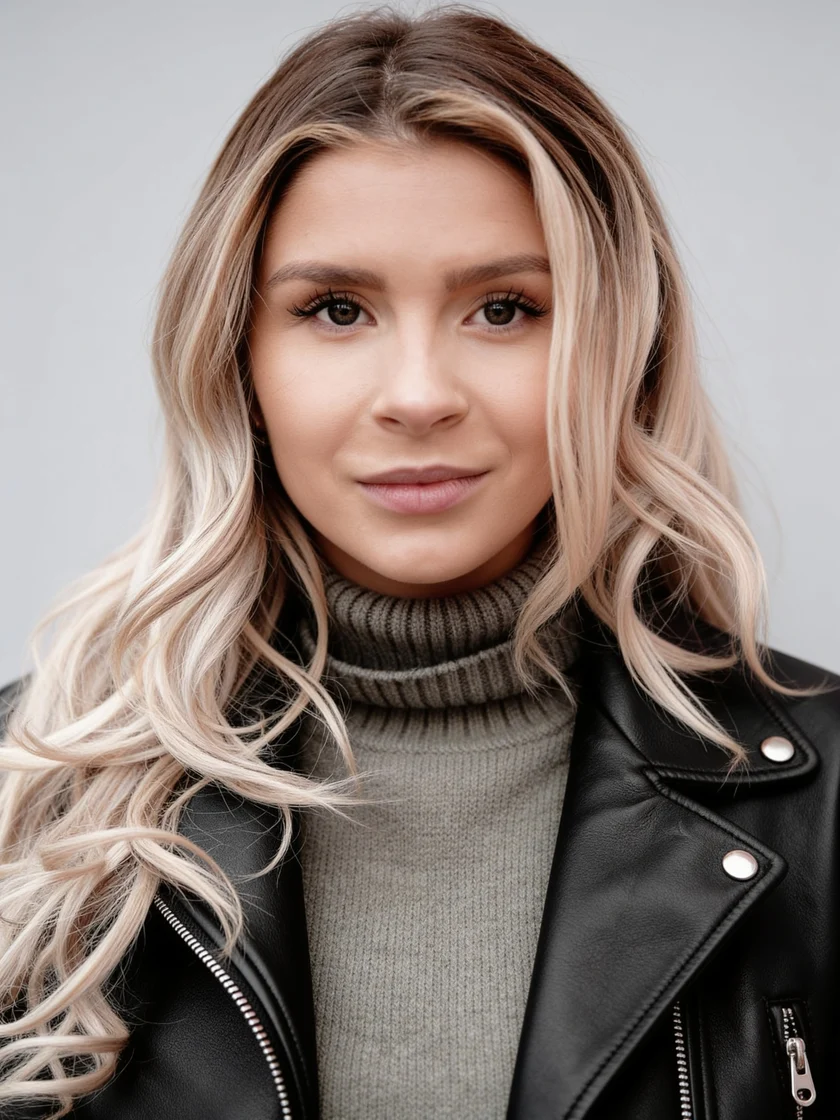
Actual Seedream 4.5 results from the same licensed stock photo. The source is cropped to portrait; results vary with your photo.
Source photo: Shopify Photos / Burst · Burst License
Compare the full source with the actual result. The aim is better lighting and framing while keeping your identity recognizable.
Soft light. A clean, solid background.
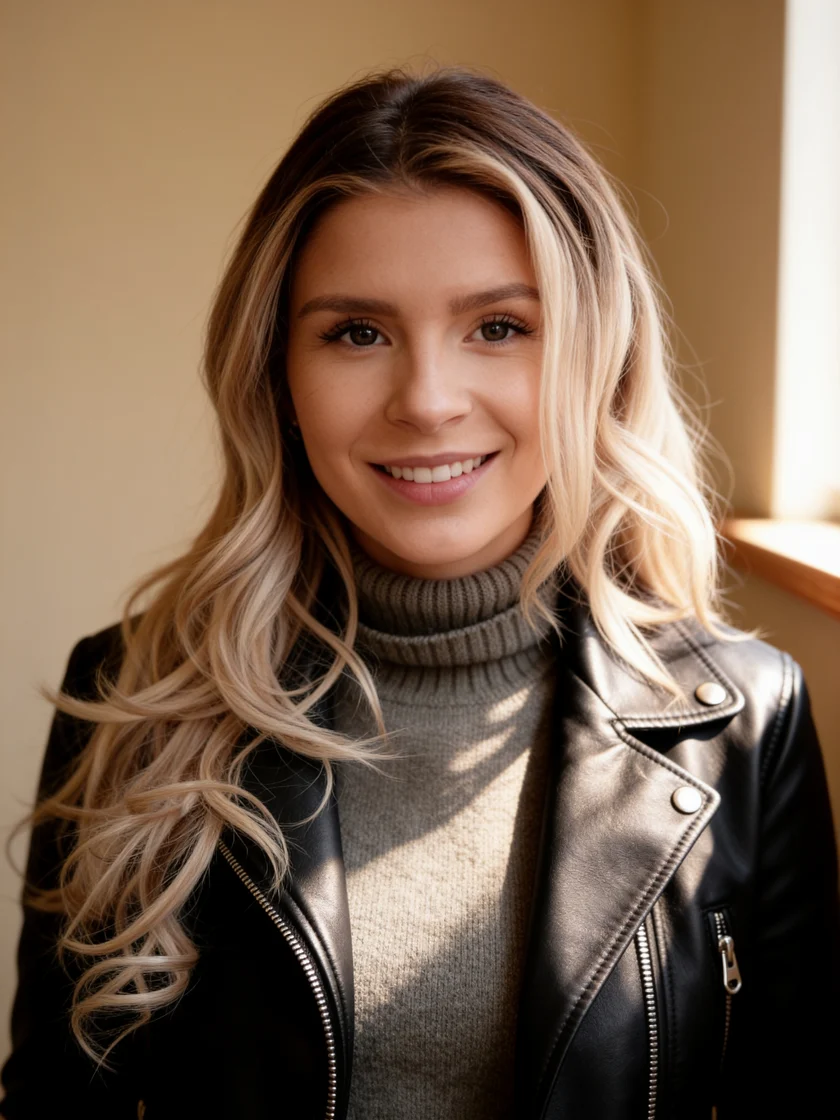
Warm daylight. An approachable presence.
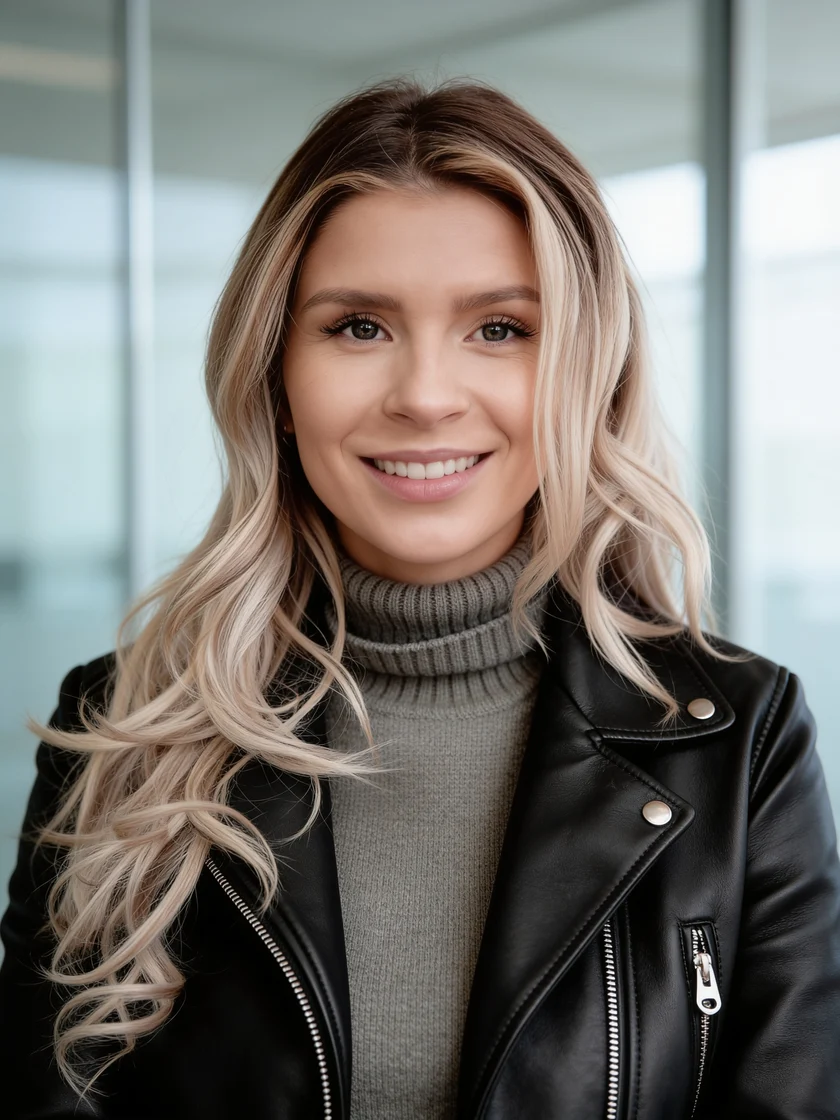
A softly blurred, contemporary workspace.
Actual Seedream 4.5 results from the same licensed stock photo. The source is cropped to portrait; results vary with your photo.
Source photo: Shopify Photos / Burst · Burst License
Choose a simple background and a calm expression. Crop vertically and leave enough room around your head; use a photo only if it suits your application.
Try a square crop with your face clearly visible at small sizes. Leave space at the edges because profile photos are often displayed in a circle.
Match your setting to the way you work: a studio portrait for a consistent team page, or a softer office look for your personal introduction.
A sharp, recent head-and-shoulders photo gives the model useful facial detail. There is no need for a studio shoot or a set of twenty selfies.
Try the actual generator with one photo. Guests see a watermarked preview; sign in to claim that same image at full resolution.
Each additional generation makes one new image. Cropping and downloading a result do not trigger another generation. A confirmed generation failure returns the credits.
View credit packsThe free allowance is shared across the account, browser and network to limit abuse. This may affect people using the same office or household connection.
Renoir stores source and result photos in private storage and checks ownership before showing them. Photos are sent to fal.ai to process with Seedream 4.5; we request restricted output access, a one-hour media lifetime and no saved request payloads there. They are not added to Renoir's public gallery.
Unclaimed photos become inaccessible 24 hours after upload. Claimed photos follow account storage rules: 3 days for a free account, longer for accounts with permanent-storage benefits. Delete ends access immediately; scheduled physical deletion and failed-delete retries can finish later, normally within 24 hours.
Upload one clear photo, choose Classic studio, Natural & relaxed or Modern office, and select whether to keep your clothes. Review the price, confirm permission and press Create. Compare the result, then sign in to download or crop it.
You can generate one free preview every 24 hours, subject to the shared account, browser and network allowance. Guests see a watermark. Signing in unlocks the original from that same generation. Further portraits cost 3 credits each; credit prices depend on your pack or plan.
The generation instructions prioritize your facial proportions, age, skin tone, hair and glasses. AI can still change details, especially with a blurry or distant face. Compare carefully with the source before using the image; identity preservation is not guaranteed.
It is designed for professional profiles, CVs and website introductions. Choose a faithful result and a crop suited to its placement. You remain responsible for the photo rights and any rules that apply to the platform, employer or application.
The selected setting changes the background and lighting. The default keeps your original clothes. Select Professional jacket if you want an AI-generated outfit; small clothing details can still vary. For Classic studio, choose gray, white, beige, soft blue, navy or a custom color. Natural and office settings retain their scene backgrounds.
You can follow the queue, generation and saving stages on the page. Time varies with provider demand. Refreshing reopens the same task. If provider acceptance cannot be confirmed, we check the existing task instead of automatically buying another generation.
Use a sharper, closer photo in soft daylight without filters. Avoid a tiny face in a full-body picture. Compare the eyes, hairline and glasses, and try the natural setting. A new generation uses another free attempt or 3 credits; cropping the existing result is free.
No. This tool creates professional profile portraits, not compliant identity photos. For official documents, use a process that meets the requirements of the issuing authority.


