An independent Emojora alternative by Renoir

Emojora AI prompts for photos & videos

Explore an Emojora alternative for AI photo editing, couple portraits, saree looks and car videos. Compare workflows, copy original Renoir prompts, and create with your own photo here.

  • Free prompts, no sign-up
  • Real generated examples
  • Photo generation on this page
Create my photo

Explore Emojora-style photo & video tools

Choose the Emojora idea you want to recreate. These tools use Renoir templates and models.

Create an Emojora-style photo in Renoir

Found an Emojora photo-editing idea? Choose an original Renoir template below, add your reference, and review the prompt before generating. Your draft returns with you after sign-in.

JPG, PNG or WebP · up to 10 MB · one photo

Prompts stay in English so you can reuse the exact tested text.

3 credits per photo

Select a photo to start.

Use your own photo or one you have permission to edit. Your selected photo stays in this browser until you generate. Privacy policy

Style example

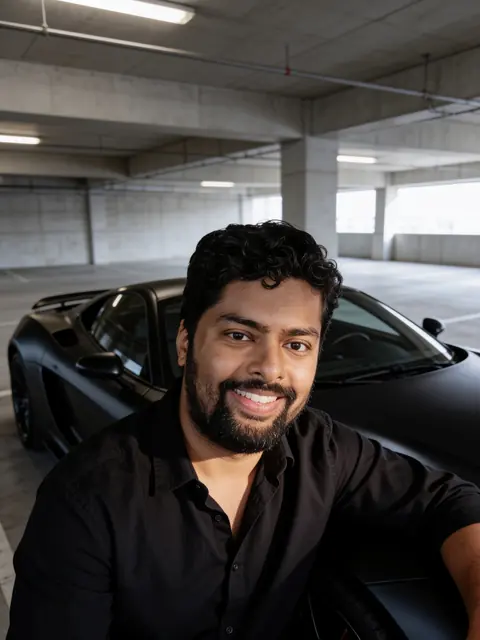
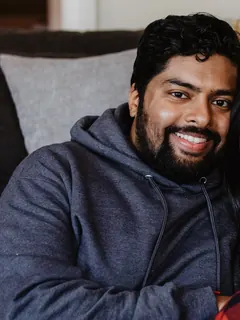
One man · With a black sports car
Source photoSource photo
A real Renoir model output. Your photo and any prompt edits will change the result; facial likeness is not guaranteed. Sarah Pflug / Burst · Burst Some Rights Reserved

Emojora photo prompt ideas, with real Renoir examples

Explore the portrait, couple, saree and festival ideas people look for on Emojora. Each example below uses an original Renoir prompt, shown in full alongside its actual Seedream 4.5 Edit output. Copy the text or create your own version.

With a black sports car
Source photoSource photo
Seedream 4.5 Edit
Sarah Pflug / Burst · Burst Some Rights Reserved

With a black sports car

A dramatic rim-lit portrait in a concrete garage.

Read full prompt

Edit the uploaded photo into a new photorealistic portrait of the SAME MAN. Keep his face, facial structure, skin tone, age, hairline, beard and natural expression recognizable and unchanged. Do not beautify, slim, de-age or change his ethnicity. He leans against a matte black sports car with no visible badges in a modern concrete parking garage, wearing a black shirt, dramatic rim light. Natural skin texture, realistic light, sharp focus on his face. Exactly one person. No text, no watermark.
Red Banarasi in a palace
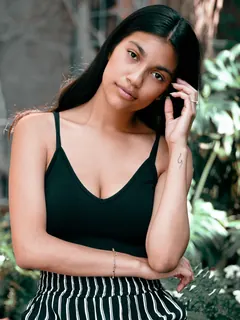
Source photoSource photo
Seedream 4.5 Edit
Shopify Photos / Burst · Burst Some Rights Reserved

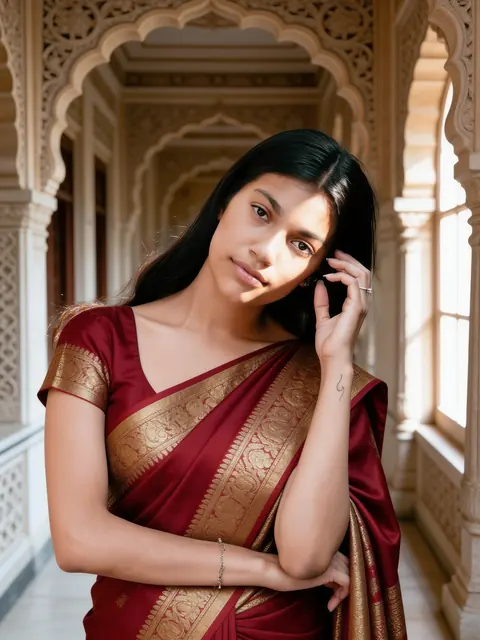
Red Banarasi in a palace

Gold brocade silk in a carved heritage corridor.

Read full prompt

Edit the uploaded photo into a new photorealistic portrait of the SAME WOMAN. Keep her face, facial structure, skin tone, age, hairline and natural expression recognizable and unchanged. Do not beautify, slim, de-age or change her ethnicity. She wears a rich red Banarasi silk saree with gold brocade and stands in a heritage palace corridor with carved stone arches, soft window light on her face. Natural skin texture, realistic light, sharp focus on her face. Exactly one person. No text, no watermark.
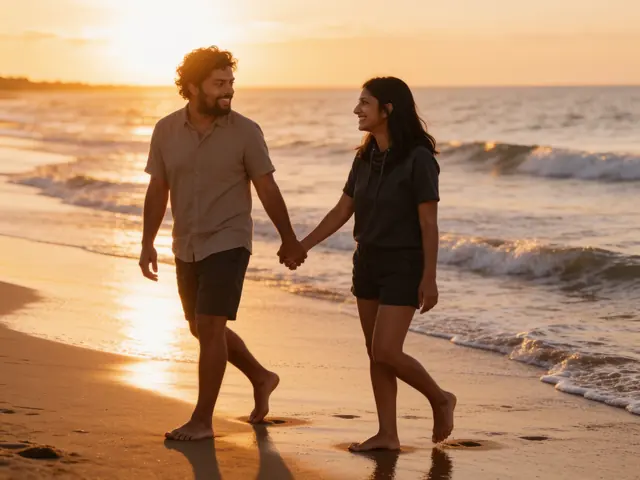
Sunset beach walk
Source photoSource photo
Seedream 4.5 Edit
Sarah Pflug / Burst · Burst Some Rights Reserved

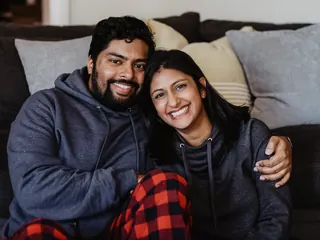
Sunset beach walk

Holding hands barefoot along the waves at golden hour.

Read full prompt

Edit the uploaded photo into a new photorealistic photo of the SAME TWO PEOPLE. Keep both faces, facial structures, skin tones, ages and hairlines recognizable and unchanged, and keep who stands on which side. Do not beautify, slim, de-age or change their ethnicity. The two walk barefoot along a beach at sunset holding hands and looking at each other, warm backlight and gentle waves, in casual summer clothes. Natural skin texture, realistic light, sharp focus on both faces. Exactly two people. No text, no watermark.

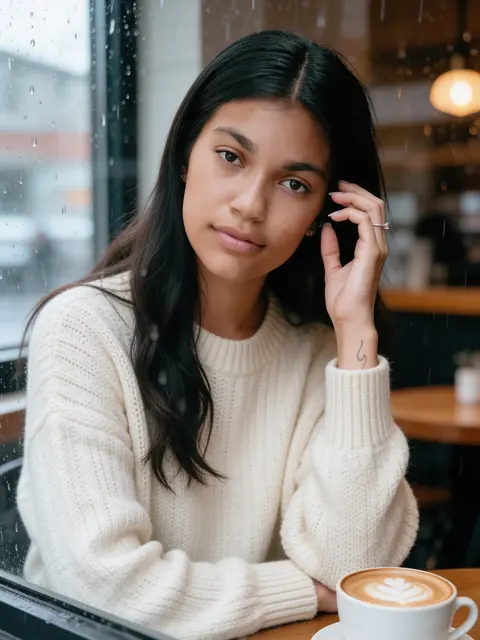
Rainy café window
Source photoSource photo
Seedream 4.5 Edit
Shopify Photos / Burst · Burst Some Rights Reserved

Rainy café window

A knit sweater, a latte and raindrops on the glass.

Read full prompt

Edit the uploaded photo into a new photorealistic portrait of the SAME WOMAN. Keep her face, facial structure, skin tone, age, hairline and natural expression recognizable and unchanged. Do not beautify, slim, de-age or change her ethnicity. She sits at a cosy café window with a latte, wearing a cream knit sweater, soft rainy-day light and raindrops on the glass. Natural skin texture, realistic light, sharp focus on her face. Exactly one person. No text, no watermark.
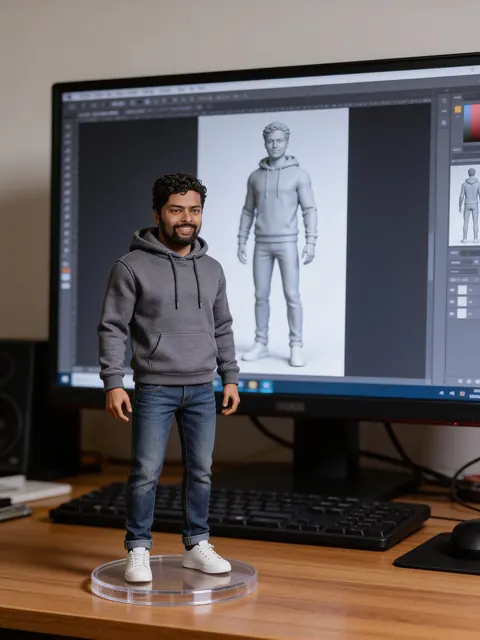
Renoir · Product guide
Reviewed

What is Emojora?

Visit the official Emojora website

Emojora is a website for ready-to-use AI image and video prompts. Its prompt collection includes portraits, couple scenes, festival looks and luxury-car ideas. A prompt describes the scene, clothing, lighting and camera treatment for an AI tool; it is not the finished image or video.

The Emojora pages reviewed for this guide offer prompts to copy and links to external creation tools such as Gemini and Google Flow. This Renoir page offers an independent workflow: explore original templates and generate a photo here, or continue to Renoir's car video tool. The examples below were made in Renoir, not taken from Emojora.

Renoir is not affiliated with or endorsed by Emojora. This comparison concerns the public pages linked below, reviewed on September 28, 2026; other pages and external services may differ.

Emojora and Renoir: choose the workflow you need

Emojora helps you find a prompt; the reviewed pages then point to a separate creation tool. This Renoir alternative puts the reference, editable prompt, example and photo generation together. Compare the full task, including the model and cost.

Find a visual idea

Emojora pages reviewed
Browse image and video prompt pages.
This Renoir page
Start with curated templates and actual before-and-after examples.

Get a prompt

Emojora pages reviewed
Copy the text into your chosen AI tool.
This Renoir page
Read, copy and edit our original prompts without an account.

Create a photo

Emojora pages reviewed
Follow the linked external creation tool's workflow.
This Renoir page
Upload your reference and generate here with Seedream 4.5 Edit.

Create a car video

Emojora pages reviewed
The car tutorial links to an external image/video workflow.
This Renoir page
Use Renoir's car prompt builder, then generate in the Renoir studio.

Understand the cost

Emojora pages reviewed
Check generation limits and pricing in the external tool you choose.
This Renoir page
Copying is free; this photo editor costs 3 credits per image. Video costs are separate.

How to use Emojora-style photo prompts

For an Emojora-inspired edit, the prompt describes the look and the uploaded photo supplies the person. Copying words alone cannot preserve a face the model has never seen. Use this three-step process to turn the idea into your photo.

  1. Match the template to your photo

    Use a sharp, well-lit reference with an unobstructed face. Pick a solo template for one person and a couple template for a photo of both people. A full scene needs enough of the body to support the intended pose.

  2. Review the scene and identity instructions

    Keep the instruction to preserve the same person, then describe one outfit, setting and lighting style. Change only the parts you need. Instructions cannot guarantee an exact face match, and adding more adjectives does not reliably improve the result.

  3. Generate, inspect, then download

    On Renoir, add your photo in the editor and check the credit cost before generating. Inspect the face, hands, accessories and background. If something fails, make one targeted change before paying for another attempt.

How to customize an Emojora-style prompt

An Emojora photo prompt is a starting brief. Separate the identity you want to keep from the scene you want to change: the same person can wear a Banarasi saree, stand beside a sports car or appear in a sunset portrait without mixing all three ideas.

For an Emojora-style couple photo, name two people and use a reference containing both. For a solo portrait, ask for one person. Then change the outfit, setting and framing independently. The three example clauses below show how Renoir builds its tested templates.

1. Keep the person

The first sentence tells the model to edit your photo into a portrait of the same person, and not to change the face, skin tone, age or ethnicity. Without it, most models quietly replace your face with a prettier stranger.

Edit the uploaded photo into a new photorealistic portrait of the SAME WOMAN. Keep her face, facial structure, skin tone, age, hairline and natural expression recognizable and unchanged.

2. Describe the scene

The middle describes what should change: the clothes with their colour and fabric, what you are holding, the place, the light and the mood. Be specific — “emerald green Kanjivaram silk with a wide gold border” works far better than “a nice saree”.

She wears an emerald green Kanjivaram silk saree with a wide gold border and gold jewellery, jasmine flowers in her hair, in a sunlit stone courtyard with old pillars, soft morning light.

3. Ask for a clean finish

The last sentence asks for natural skin, realistic light and a sharp face, fixes the number of people and rules out text and watermarks — the most common ways a result goes wrong.

Natural skin texture, realistic light, sharp focus on her face. Exactly one person. No text, no watermark.
Use Emojora-style prompts in Gemini, ChatGPT or Renoir

Emojora is the source of an idea, while your chosen image tool interprets the prompt. These workflows explain the handoff. The examples on this page were tested in Renoir; the same text can give a different result in another model.

Gemini

Use an Emojora photo-editing idea as instructions for an uploaded image, rather than as a request to invent an unrelated person.

  1. Upload the reference in a Gemini account with image editing available.
  2. Paste the prompt, identifying what should stay the same and what should change.
  3. Review the face and scene. For another edit, describe the specific correction instead of adding unrelated styles.
Read Gemini’s image guide

ChatGPT

An Emojora-style prompt can describe an edit to an existing image. Keep the person, outfit and background instructions distinct.

  1. Upload your reference and ask for an image edit with the chosen prompt.
  2. For a couple image, specify which two people in the reference should remain.
  3. Inspect the output and request a focused revision. Access and limits belong to your ChatGPT account.
Read ChatGPT’s image guide

Renoir

Complete the Emojora-inspired photo workflow on this page with the same template and model used for the examples.

  1. Load a template to see its exact prompt and generated example together.
  2. Add your photo, edit the text and sign in. The saved draft returns here.
  3. Confirm the 3-credit cost, generate explicitly and download. Continue to the car video builder if you need motion.
Create an Emojora-style photo

Emojora car video prompts: from photo to motion

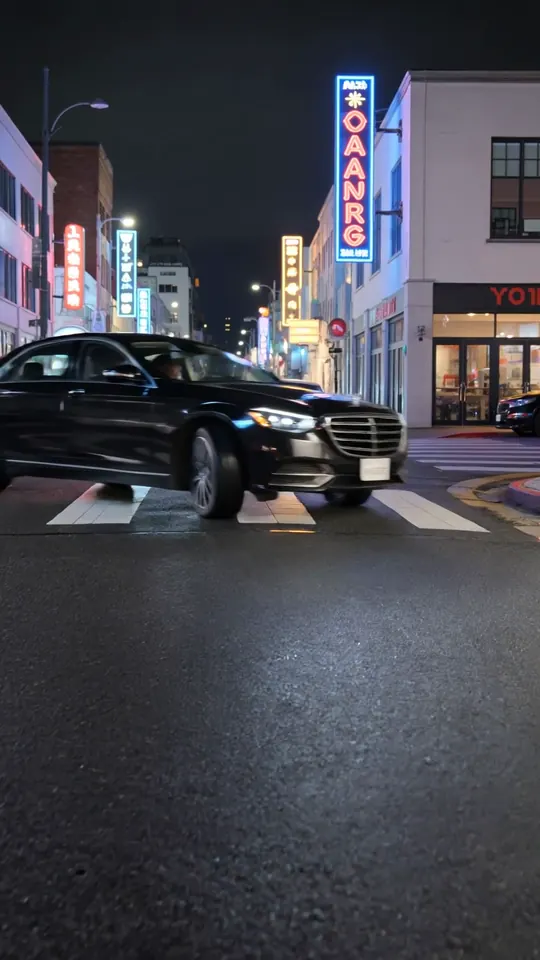
The Emojora luxury-car tutorial separates the image idea from the video step. Follow that distinction: first make a believable driver image, then describe the car and camera movement. A still-photo prompt alone is not a complete video workflow.

Actual Renoir output · Kling O3 Pro · source photo already shows a driver

Brodie / Burst · CC0
  1. Prepare the starting image

    For a driving video, start with a photo that already shows the person in the car. A portrait beside a parked sports car is a different scene; it is not a substitute for a driver photo.

  2. Add one clear movement

    Describe a slow drive, a wave or a camera move. Avoid asking for several cuts and conflicting actions in one short clip. Use a vertical frame for a vertical starting photo.

  3. Generate the clip in Renoir

    The car builder opens the Renoir studio with your prompt and settings. Add the prepared photo there. The current default image-to-video option costs 50 credits for 5 seconds; text-to-video starts at 35 credits for the builder's default 5-second option.

Open the car video prompt builder

Emojora prompts: free copying and generation costs

A free Emojora prompt does not tell you what an external AI tool will charge to render it. In this Renoir alternative, reading and copying are free; photo and video generation have separate, visible credit costs.

See Renoir pricing
  • This photo editor: 3 credits per image.
  • New accounts currently receive 5 welcome credits: enough for one image with this editor, not a default car video.
  • Car video builder defaults: 35 credits for text-to-video, or 50 credits for image-to-video, per 5-second clip.
  • Additional credits are available through Renoir billing; the minimum top-up is $5.

How this Emojora alternative’s examples were made

This Emojora alternative shows original Renoir results, not screenshots copied from Emojora. Each featured photo pairs a source image with an actual Seedream 4.5 Edit output made using the displayed prompt, one image at a time. Solo examples use 3:4; couples use 4:3. Stock models demonstrate the tool rather than endorse it. Source attribution and generation records accompany the example collection.

These templates are written in English so you can copy the same tested text across languages. A different model, reference photo or prompt edit can produce a different composition. Gemini, ChatGPT and video tools have their own capabilities, upload requirements and usage limits; a prompt is not a promise of identical output across them.

Fix common Emojora-style photo & video problems

The face changes after the edit

For an Emojora-style portrait, keep a clear face reference attached and preserve the identity clause. A dramatic angle, heavy glasses or a different pose can make the face harder to retain. Change one of those conditions before adding more prompt text.

A couple prompt adds or loses a person

This Emojora alternative’s couple template expects one photograph with both people visible. Match the prompt to two subjects and avoid solo wording. Two separate selfies need a different workflow; this editor does not merge them.

The car video starts from the wrong scene

An Emojora car-video idea still needs an appropriate starting image. A person beside a parked car will not automatically become a driver. Prepare the driver image first, then choose one car action and one camera movement in the video builder.

Gemini, ChatGPT and Renoir look different

An Emojora prompt is not a shared model preset. Image tools interpret identity, lighting and framing differently. Compare the same reference and aspect ratio, then adjust the one instruction that matters; do not expect another provider to reproduce this gallery exactly.

Emojora FAQ: prompts, photo editing, videos & access

Is this the official Emojora website?

No. This is Renoir's independent guide and alternative workflow. The official website is emojora.com. The templates and generated examples on this page belong to Renoir's own tool collection.

Can I copy Emojora-style prompts without signing up?

Yes. Read and copy every featured prompt for free without an account. Sign in only when you want Renoir to generate a photo with your reference. A sign-in does not automatically submit or charge for a generation.

How do I use an Emojora photo prompt in Gemini or ChatGPT?

Choose a tool that supports editing an uploaded image, attach your reference photo, and paste the prompt. Check that tool's current access, pricing and supported features. The results shown here were generated with Seedream 4.5 Edit in Renoir, not verified as Gemini or ChatGPT outputs.

How do I make an Emojora-style Mercedes driving video?

A normal selfie first needs to become a suitable driver image. The car video builder expects a prepared starting photo for image-to-video; it does not automatically put a selfie behind the wheel. Build and check the still image first, then add a motion prompt. The sports-car portrait here places the subject beside the car, not inside it.

Does an Emojora photo-editing prompt keep my face unchanged?

No model can guarantee an identical face in every edit. Use a clear reference, keep the identity instructions, avoid heavy occlusion and make small prompt changes. Review the result before sharing; faces, hands and clothing may need another attempt.

Can this Emojora alternative combine two selfies into a couple photo?

This page's couple template uses one photo containing both people. It does not combine two separate uploads. Choose a reference with both faces visible and enough space around them for the new scene.

Are the example images actual generated results?

Yes. The featured results were generated with the displayed Renoir templates and Seedream 4.5 Edit. The source images and photographer credits are shown with the examples. Your own reference and prompt changes will produce different results.

Does this Emojora alternative include a free car video?

The current 5 welcome credits cover one 3-credit image with this editor. They do not cover the car builder's default 35-credit text-to-video or 50-credit image-to-video options. Video is a separate generation with its cost shown before submission.

Where does my uploaded photo go?

Selecting a photo keeps a working copy in this browser so your draft can survive sign-in. Drafts expire 24 hours after the last edit; expired copies are cleared the next time this tool accesses its local storage. When you explicitly generate, the photo is uploaded to your Renoir account and sent to the image provider. See Renoir's privacy policy for service-level handling.

Does Renoir also replace Emojora's emoji and text utilities?

This page focuses on AI photo prompts, reference-based photo creation and car video workflows. For Emojora's emoji collection or text utilities, use the relevant tools on its official website. Renoir's related image tools can help with background removal, restoration and upscaling.

Is Emojora free, and does that include AI generation?

The Emojora pages reviewed display prompts to read and copy. That is separate from generating in a linked service, which has its own access and usage limits. On this Renoir page, prompts are free to copy; the photo editor uses 3 credits per image. Check video pricing separately.

Do I need to download an Emojora app or APK?

The public Emojora prompt pages reviewed can be read in a browser. No Emojora app or APK is required to use the original templates and photo editor on this Renoir page. For Emojora’s own installation options, use its official website; Renoir does not distribute an Emojora app.

Which Emojora-style prompts work for boys, girls and couples?

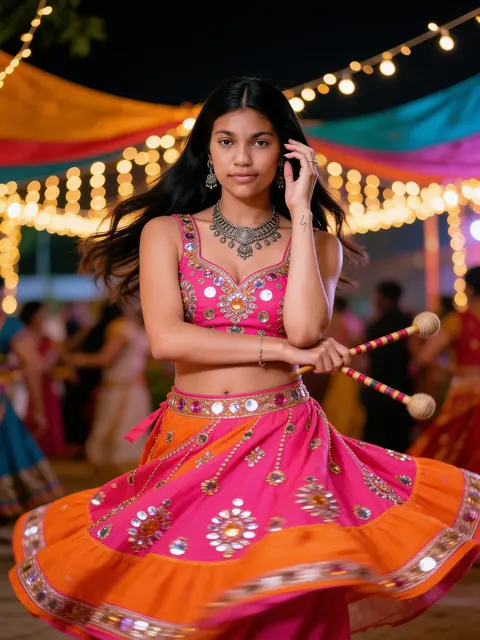
Start with the photo you have and the look you want. This collection includes solo sports-car and café portraits, a Banarasi saree, a garba scene and a sunset couple portrait. Adjust clothing and scene details to the subject. The couple option requires both people in one reference; solo examples use one person.

Why use Renoir as an Emojora alternative?

Choose this Emojora alternative when you want to inspect a real source/result pair, read the exact original prompt and generate with your own photo in one place. Use the official Emojora site when you want its particular prompt collection or text utilities. Renoir offers an independent creation workflow, not a copy of that service.

Create your next Emojora-inspired photo

Turn the idea that brought you to Emojora into a photo of your own. Pick a tested Renoir template, edit the details and check the cost before creating.

Create my photo