AI 照片提示词

复制即用的提示词,把你自己的照片变成节日写真、纱丽造型、情侣照或本周热门风格。每条提示词都附有真实照片效果,可以在 Gemini 或 ChatGPT 中使用,也可以直接在这里用你的照片生成。

  • 免费复制
  • 示例均为真实生成结果
  • 支持 Gemini、ChatGPT 和 Renoir

按主题浏览

每个主题精选一条,进入主题查看更多。

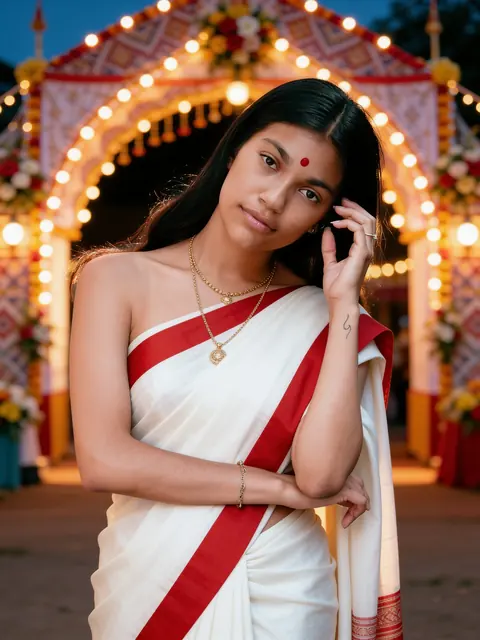
效果: pandal 前的红边纱丽效果
原图原图

pandal 前的红边纱丽

经典 Pujo 纱丽,站在灯火通明的 pandal 入口前。

单人女

查看提示词

Edit the uploaded photo into a new photorealistic portrait of the SAME WOMAN. Keep her face, facial structure, skin tone, age, hairline and natural expression recognizable and unchanged. Do not beautify, slim, de-age or change her ethnicity. She wears a classic white saree with a wide red border, gold jewellery and a small red bindi, standing in front of the softly blurred entrance arch of a festival pandal decorated only with strings of lights, flowers and patterned cloth — no statues, no figures and no deities anywhere in the picture. Warm evening light. Natural skin texture, realistic light, sharp focus on her face. Exactly one person. No text, no watermark.

用我的照片生成
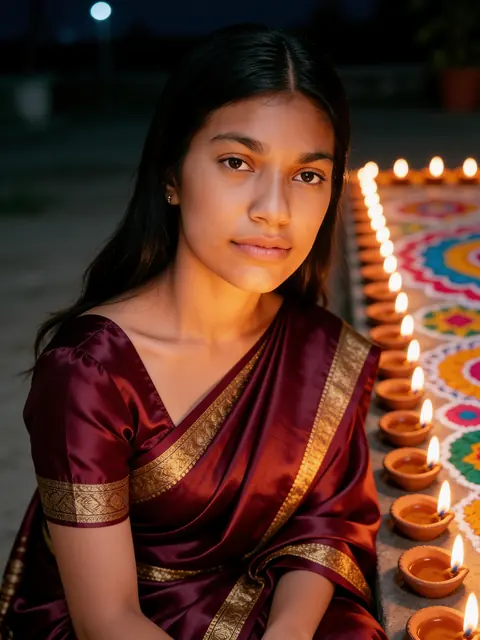
效果: diya 油灯间的丝绸纱丽效果
原图原图

diya 油灯间的丝绸纱丽

成排点亮的 diya 油灯和 rangoli,灯光映在脸上。

单人女

查看提示词

Edit the uploaded photo into a new photorealistic portrait of the SAME WOMAN. Keep her face, facial structure, skin tone, age, hairline and natural expression recognizable and unchanged. Do not beautify, slim, de-age or change her ethnicity. She wears a deep maroon silk saree with gold zari and sits beside rows of lit clay diyas and a colourful rangoli, the warm lamplight glowing softly on her face at night. Natural skin texture, realistic light, sharp focus on her face. Exactly one person. No text, no watermark.

用我的照片生成
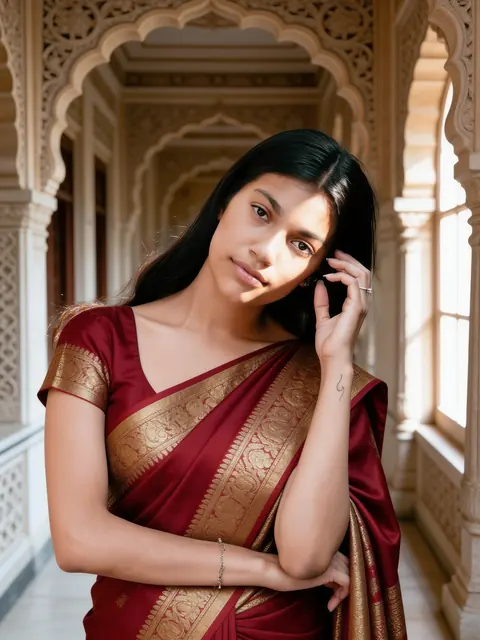
效果: 宫殿里的红色 Banarasi效果
原图原图

宫殿里的红色 Banarasi

金色织锦丝绸,置身雕花古建长廊。

单人女

查看提示词

Edit the uploaded photo into a new photorealistic portrait of the SAME WOMAN. Keep her face, facial structure, skin tone, age, hairline and natural expression recognizable and unchanged. Do not beautify, slim, de-age or change her ethnicity. She wears a rich red Banarasi silk saree with gold brocade and stands in a heritage palace corridor with carved stone arches, soft window light on her face. Natural skin texture, realistic light, sharp focus on her face. Exactly one person. No text, no watermark.

用我的照片生成
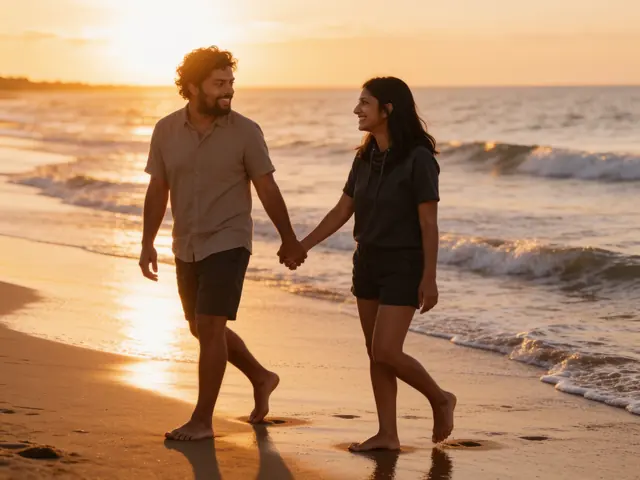
效果: 日落海滩漫步效果
原图原图

日落海滩漫步

黄金时刻赤脚牵手,沿着浪花散步。

情侣

查看提示词

Edit the uploaded photo into a new photorealistic photo of the SAME TWO PEOPLE. Keep both faces, facial structures, skin tones, ages and hairlines recognizable and unchanged, and keep who stands on which side. Do not beautify, slim, de-age or change their ethnicity. The two walk barefoot along a beach at sunset holding hands and looking at each other, warm backlight and gentle waves, in casual summer clothes. Natural skin texture, realistic light, sharp focus on both faces. Exactly two people. No text, no watermark.

用我的照片生成
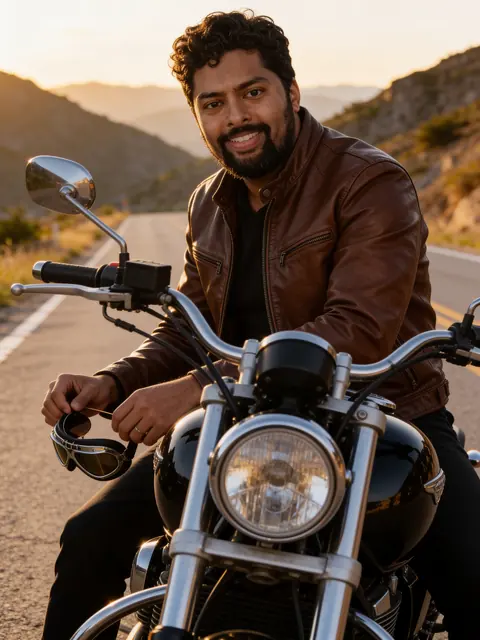
效果: 黄金时刻的摩托车效果
原图原图

黄金时刻的摩托车

皮夹克,骑着经典摩托车行驶在山路上。

单人男

查看提示词

Edit the uploaded photo into a new photorealistic portrait of the SAME MAN. Keep his face, facial structure, skin tone, age, hairline, beard and natural expression recognizable and unchanged. Do not beautify, slim, de-age or change his ethnicity. He sits on a classic black motorcycle on an empty mountain road at golden hour, wearing a brown leather jacket and holding aviator sunglasses. Natural skin texture, realistic light, sharp focus on his face. Exactly one person. No text, no watermark.

用我的照片生成
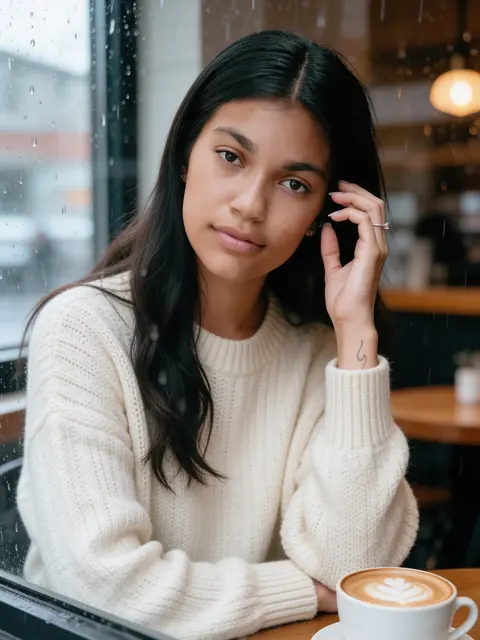
效果: 雨天咖啡馆窗边效果
原图原图

雨天咖啡馆窗边

针织毛衣、拿铁和玻璃上的雨滴。

单人女

查看提示词

Edit the uploaded photo into a new photorealistic portrait of the SAME WOMAN. Keep her face, facial structure, skin tone, age, hairline and natural expression recognizable and unchanged. Do not beautify, slim, de-age or change her ethnicity. She sits at a cosy café window with a latte, wearing a cream knit sweater, soft rainy-day light and raindrops on the glass. Natural skin texture, realistic light, sharp focus on her face. Exactly one person. No text, no watermark.

用我的照片生成

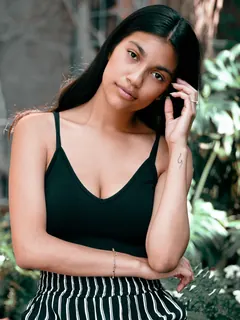
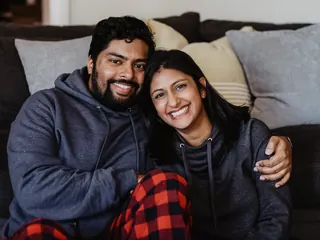
示例均为 Seedream 4.5 Edit 基于图库照片(Sarah Pflug / Burst, Shopify Photos / Burst)生成的未修图结果。实际效果因照片而异。

提示词保留英文:图像模型对英文提示词的理解最稳定。 将带着这条提示词打开 Renoir 创作室。添加照片即可生成,每张 3 积分。

好的 AI 照片提示词由什么构成

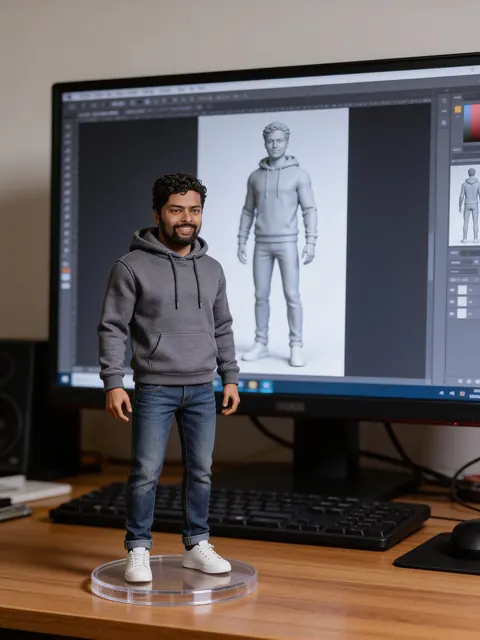
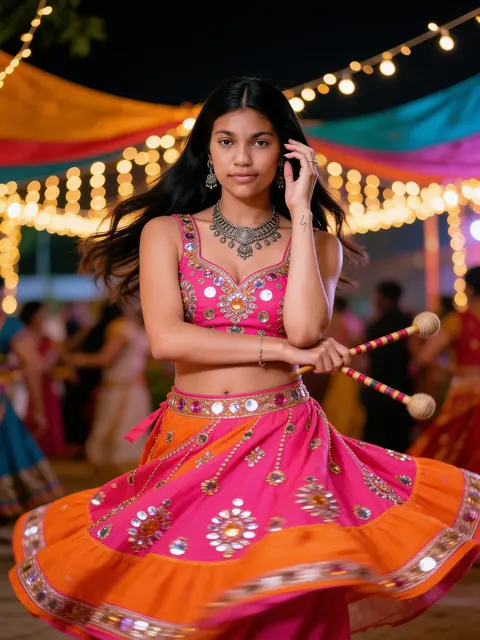
AI 照片提示词是和你自己的照片一起发给图像模型的简短指令。模型不会画出一个陌生人,而是重新描绘你:穿上九夜节的 chaniya choli、披上 Kanjivaram 纱丽、站在夜晚的雨中街头,或变成桌上的一尊手办。这些页面上的每条提示词都要求保持你的面部、肤色和年龄不变,你看到的每个示例都是该条提示词作用于真实图库照片后的未修图结果。按主题浏览,把提示词复制到 Gemini 或 ChatGPT,或者直接在 Renoir 中用你的照片生成。

这里的每条提示词都由三部分组成。了解它们,就能轻松自己编写提示词,或修改我们的提示词。

1. 保留人物

第一句要求模型把你的照片编辑成同一个人的肖像,不改变面部、肤色、年龄或族裔。缺少这一句,大多数模型会悄悄把你的脸换成一张更“好看”的陌生面孔。

Edit the uploaded photo into a new photorealistic portrait of the SAME WOMAN. Keep her face, facial structure, skin tone, age, hairline and natural expression recognizable and unchanged.

2. 描述场景

中间部分描述要改变的内容:服装的颜色和面料、手中拿的东西、地点、光线和氛围。越具体越好——“emerald green Kanjivaram silk with a wide gold border”远比“a nice saree”效果好。

She wears an emerald green Kanjivaram silk saree with a wide gold border and gold jewellery, jasmine flowers in her hair, in a sunlit stone courtyard with old pillars, soft morning light.

3. 要求画面干净

最后一句要求自然的肤质、真实的光线和清晰的面部,限定人数,并排除文字和水印——这些正是结果最常出错的地方。

Natural skin texture, realistic light, sharp focus on her face. Exactly one person. No text, no watermark.

如何使用这些提示词

同一条提示词在 Gemini、ChatGPT 和 Renoir 中都能用。上传一张清晰的照片,然后:

Gemini

  1. 在浏览器或 App 中打开 Gemini。
  2. 点击 + 按钮添加你的照片。
  3. 在同一条消息中粘贴提示词并发送。
  4. 如果脸变样了,回复“keep my face exactly as in the photo”再发送一次。

ChatGPT

  1. 在 ChatGPT 中新建对话。
  2. 点击 + 按钮添加你的照片。
  3. 在同一条消息中粘贴提示词并发送。
  4. 在后续消息中提出修改,例如换一种颜色或裁成竖图。

Renoir

  1. 点击任意提示词下方的“用我的照片生成”。
  2. 创作室会打开,提示词和 Seedream 4.5 Edit 模型都已就绪。
  3. 添加照片并点击“生成”。
  4. 下载结果,或修改提示词后重新生成。

效果不理想时

脸不像我

使用清晰的正脸照片,脸部占画面较大比例,不戴墨镜、不加重滤镜。保持提示词第一句不变,然后重新生成——每次结果都不一样。

服装不对或太普通

把服装、颜色、面料和细节一起写明,例如“royal blue mirror-work lehenga”。描述模糊时,模型会退回到普通的服装。

多出人物或同一张脸出现两次

在最后一句保留“Exactly one person”或“Exactly two people”,并使用只包含你想要的人物的照片。节日人群这类热闹场景仍可能在背景中添加面孔;如果有人长得像你,请重新生成。

出现文字、商标或水印

在提示词中保留“No text, no watermark”,避免要求海报、招牌或品牌名。出现乱码文字,就说明该重新生成了。

常见问题

什么是 AI 照片提示词?

就是你和照片一起发给 AI 图像模型的文字,用来描述要改变的内容:服装、场景、光线和氛围。这些提示词还会要求模型保持你的面部不变,让结果依然像你本人。

怎样用自己的照片使用这些提示词?

复制提示词,打开 Gemini、ChatGPT 或其他支持上传照片的图像模型,上传你的照片并粘贴提示词即可。也可以点击“用我的照片生成”:Renoir 创作室会自动填好提示词,你只需添加照片。

提示词免费吗?

免费。复制提示词无需付费,也无需注册账号。在 Renoir 中生成会消耗积分,生成前会显示所需积分。

生成结果会像我本人吗?

提示词会要求模型保持你的面部、肤色和年龄不变,大多数结果都能做到。但仍可能出现细微差异,尤其是脸部较小或侧脸时;正脸清晰的照片最能还原本人。

示例图片是真实生成的吗?

是的。每个示例都是用该条提示词对图库照片生成的未修图结果,照片来源已在页面中注明。测试效果不够理想的提示词不附示例。

可以用别人的照片吗?

请只使用你本人或已征得对方同意的照片。请勿用这些提示词冒充公众人物,或制作可能误导他人、让他人难堪的图片。

这些提示词在 Gemini 和 ChatGPT 中能用吗?

能。在同一条消息中附上照片并粘贴提示词即可。不同模型的效果有所不同;本页示例使用 Seedream 4.5 Edit 生成,点击“用我的照片生成”时 Renoir 使用的也是这个模型。

为什么提示词是英文的?

图像模型对服装、光线和镜头的英文描述理解最稳定,因此本页所有语言版本中的提示词都保留英文。你可以用自己的语言补充细节,但英文的效果更稳定。