AI 사리 사진 프롬프트

내 사진으로 즐기는 다섯 가지 사리 룩이에요. Banarasi, Kanjivaram, 90년대 빗속의 시폰, 스팽글 파티 사리, 일상적인 핸드룸 사리를 담았어요.

  • 무료로 복사
  • 모든 예시는 실제 생성 결과
  • Gemini, ChatGPT, Renoir에서 사용 가능

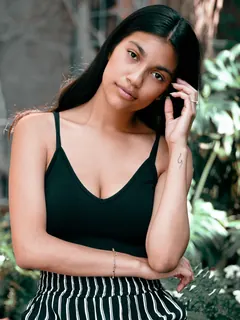
결과: 궁전 속 빨간 Banarasi결과
원본원본

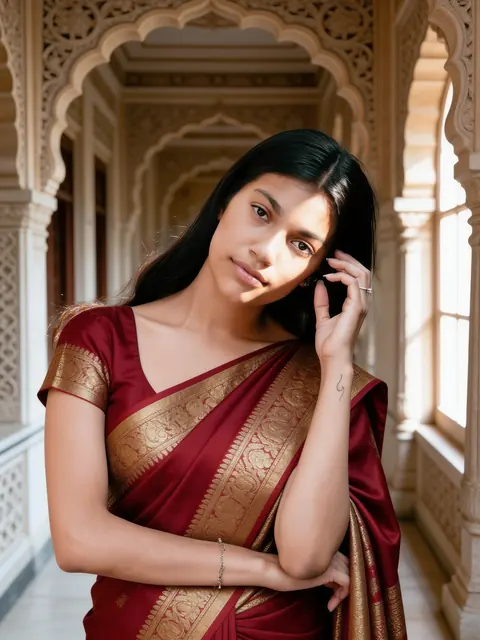
궁전 속 빨간 Banarasi

조각 장식이 있는 유서 깊은 회랑과 금빛 브로케이드 실크.

여성 1인

프롬프트 보기

Edit the uploaded photo into a new photorealistic portrait of the SAME WOMAN. Keep her face, facial structure, skin tone, age, hairline and natural expression recognizable and unchanged. Do not beautify, slim, de-age or change her ethnicity. She wears a rich red Banarasi silk saree with gold brocade and stands in a heritage palace corridor with carved stone arches, soft window light on her face. Natural skin texture, realistic light, sharp focus on her face. Exactly one person. No text, no watermark.
내 사진으로 만들기
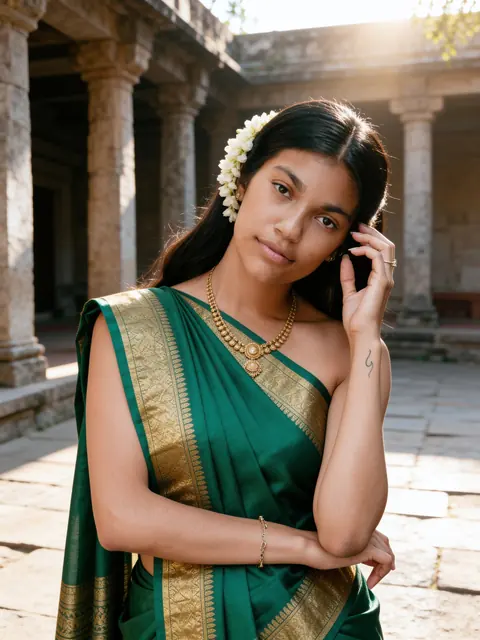
결과: 에메랄드 Kanjivaram결과
원본원본

에메랄드 Kanjivaram

넓은 금색 테두리, 머리에 꽂은 재스민, 돌 안뜰.

여성 1인

프롬프트 보기

Edit the uploaded photo into a new photorealistic portrait of the SAME WOMAN. Keep her face, facial structure, skin tone, age, hairline and natural expression recognizable and unchanged. Do not beautify, slim, de-age or change her ethnicity. She wears an emerald green Kanjivaram silk saree with a wide gold border and gold jewellery, jasmine flowers in her hair, in a sunlit stone courtyard with old pillars, soft morning light. Natural skin texture, realistic light, sharp focus on her face. Exactly one person. No text, no watermark.
내 사진으로 만들기
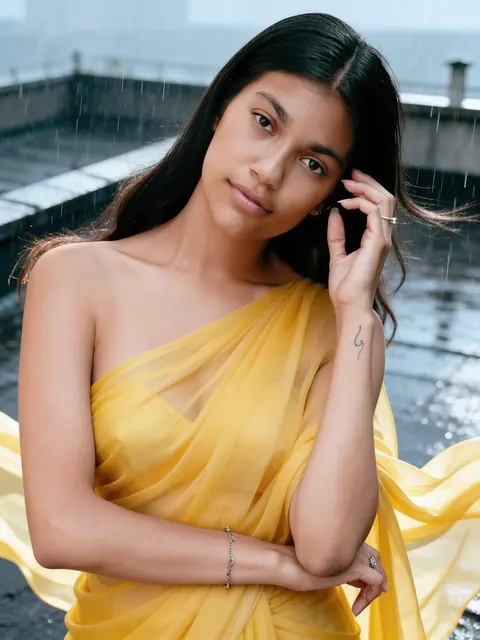
결과: 90년대 빗속의 시폰 사리결과
원본원본

90년대 빗속의 시폰 사리

비에 젖은 옥상에서 흩날리는 노란 사리.

여성 1인

프롬프트 보기

Edit the uploaded photo into a new photorealistic portrait of the SAME WOMAN. Keep her face, facial structure, skin tone, age, hairline and natural expression recognizable and unchanged. Do not beautify, slim, de-age or change her ethnicity. She wears a flowing yellow chiffon saree on a rain-soaked rooftop in a light drizzle, the fabric moving in the wind, with the mood of a 1990s Hindi film song. Natural skin texture, realistic light, sharp focus on her face. Exactly one person. No text, no watermark.
내 사진으로 만들기
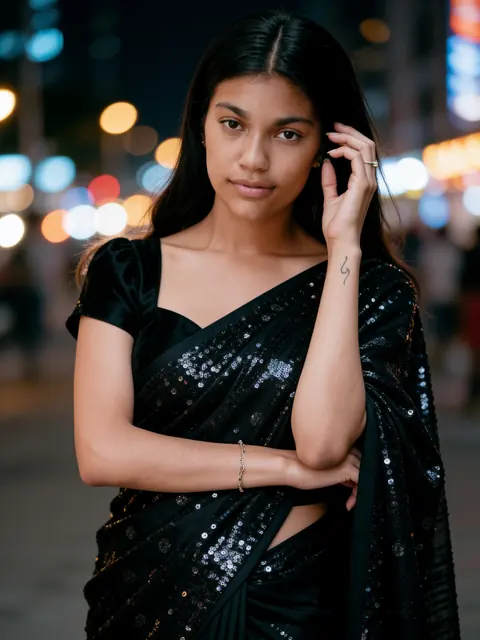
결과: 블랙 스팽글 파티 사리결과
원본원본

블랙 스팽글 파티 사리

도시 불빛을 배경으로 한 화려한 이브닝 인물 사진.

여성 1인

프롬프트 보기

Edit the uploaded photo into a new photorealistic portrait of the SAME WOMAN. Keep her face, facial structure, skin tone, age, hairline and natural expression recognizable and unchanged. Do not beautify, slim, de-age or change her ethnicity. She wears a black sequin party saree with an elegant blouse, city lights blurred into bokeh behind her, a glamorous evening portrait. Natural skin texture, realistic light, sharp focus on her face. Exactly one person. No text, no watermark.
내 사진으로 만들기
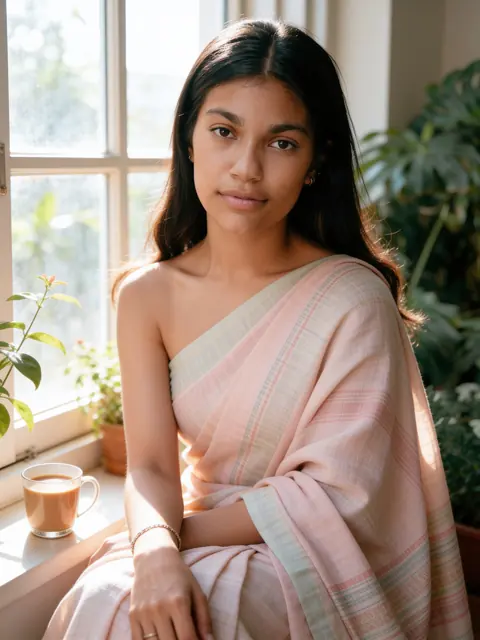
결과: 창가의 핸드룸 사리결과
원본원본

창가의 핸드룸 사리

파스텔 코튼, 식물, 짜이, 부드러운 아침 햇살.

여성 1인

프롬프트 보기

Edit the uploaded photo into a new photorealistic portrait of the SAME WOMAN. Keep her face, facial structure, skin tone, age, hairline and natural expression recognizable and unchanged. Do not beautify, slim, de-age or change her ethnicity. She wears a pastel handloom cotton saree and sits by a sunlit window with plants and a cup of chai, soft natural light, calm and candid. Natural skin texture, realistic light, sharp focus on her face. Exactly one person. No text, no watermark.
내 사진으로 만들기

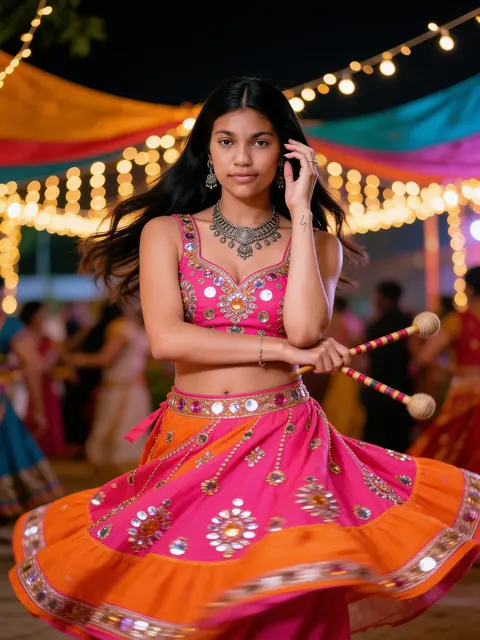
예시는 스톡 사진(Sarah Pflug / Burst, Shopify Photos / Burst)에 Seedream 4.5 Edit를 적용한 무보정 결과예요. 결과는 사진에 따라 달라질 수 있어요.

프롬프트는 영어로 제공돼요. 이미지 모델이 영어 프롬프트를 가장 정확하게 따르기 때문이에요. 이 프롬프트가 입력된 상태로 Renoir 스튜디오가 열려요. 사진을 추가하고 생성하세요. 이미지 1장당 3크레딧이에요.

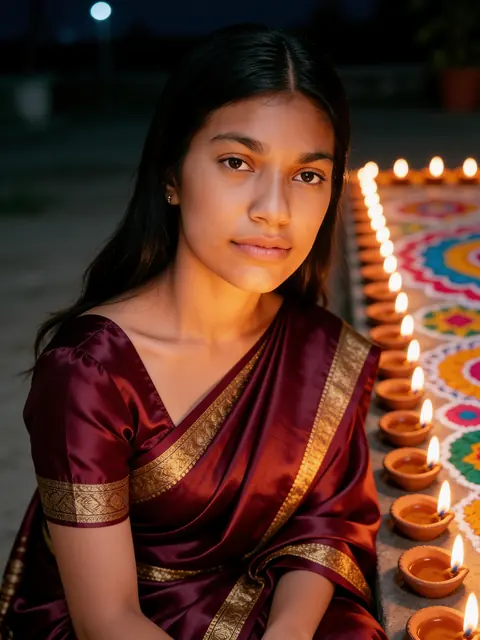
사리 사진 프롬프트는 얼굴은 그대로 두고 옷차림과 장소를 바꿔 줘요. 조각이 새겨진 궁전 회랑의 빨간 Banarasi, 머리에 재스민을 꽂은 에메랄드 Kanjivaram, 90년대 영화 노래 장면처럼 빗속에서 입은 노란 시폰 사리, 검은 스팽글 파티 사리, 햇살 드는 창가의 일상적인 핸드룸 사리까지요. 이 AI 사리 사진 프롬프트는 여성 1인용으로 작성되었고 Gemini, ChatGPT, 그리고 여기 Renoir에서 사용할 수 있어요. 축제용 사리는 두르가 푸자와 디왈리 프롬프트를 확인하세요.

사리 AI 사진 만드는 방법

같은 프롬프트를 Gemini, ChatGPT, Renoir에서 모두 쓸 수 있어요. 선명한 사진 한 장을 올린 다음:

Gemini

  1. 브라우저나 앱에서 Gemini를 여세요.
  2. + 버튼으로 사진을 첨부하세요.
  3. 같은 메시지에 프롬프트를 붙여넣고 보내세요.
  4. 얼굴이 달라졌다면 “keep my face exactly as in the photo”라고 답장해 다시 보내세요.

ChatGPT

  1. ChatGPT에서 새 채팅을 여세요.
  2. + 버튼으로 사진을 첨부하세요.
  3. 같은 메시지에 프롬프트를 붙여넣고 보내세요.
  4. 다른 색상이나 세로 비율 자르기처럼 바꾸고 싶은 점은 이어지는 메시지로 요청하세요.

Renoir

  1. 원하는 프롬프트 아래의 내 사진으로 만들기를 누르세요.
  2. 프롬프트와 Seedream 4.5 Edit 모델이 준비된 상태로 스튜디오가 열려요.
  3. 사진을 추가하고 생성을 누르세요.
  4. 결과를 다운로드하거나, 프롬프트를 수정해 다시 생성하세요.

나만의 프롬프트로 바꾸기

어떤 프롬프트든 가운데 문장(옷차림과 장소를 묘사하는 문장)을 아래 문장 중 하나로 바꾸거나 덧붙여 보세요. 첫 문장과 마지막 문장은 그대로 두세요. 얼굴을 그대로 유지해 주는 부분이에요.

라자스탄 haveli

in the courtyard of a Rajasthani haveli with carved jharokha windows and warm afternoon light

Paithani

a purple Paithani silk saree with a peacock-motif pallu

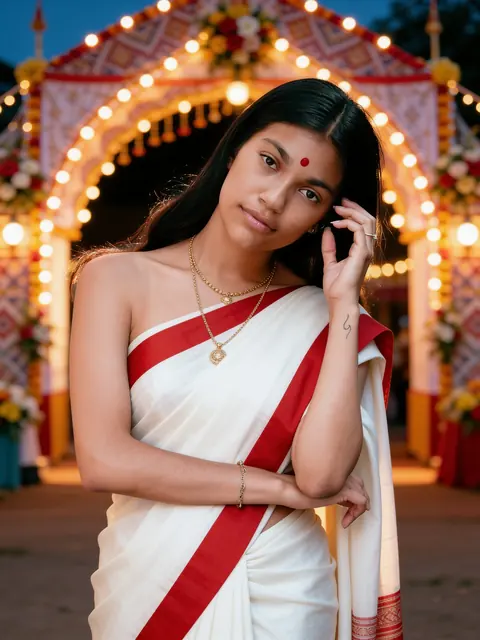
케랄라 kasavu

a white Kerala kasavu saree with a gold border and jasmine in her hair

Bandhani

a red and yellow Bandhani saree with small tie-dye dots

1970년대 영화 룩

a 1970s Hindi film look with a bold printed saree, winged eyeliner and soft vintage colour

노을 지는 호숫가 가트

on the stone steps of a lake ghat at golden hour

사리 사진을 더 잘 만드는 팁

직조 이름 쓰기

Banarasi, Kanjivaram, Paithani, 시폰은 모습이 전혀 달라요. 직조와 테두리 이름을 쓰면 알맞은 드레이프와 광택이 나와요.

두르는 방식 정하기

“pallu over her left shoulder”나 “pallu wrapped around her arm”을 추가하면 사리를 두르는 방식을 조절할 수 있어요.

반신 사진 고르기

어깨와 허리가 나온 사진이면 모델이 사리를 자연스럽게 두를 만큼 충분한 정보를 얻어요.

원하면 포즈 바꾸기

사진의 포즈는 대개 그대로 이어져요. 다른 자세를 원하면 “standing, hands relaxed at her sides”를 추가하세요.

결과가 마음에 들지 않을 때

얼굴이 나와 닮지 않았어요

얼굴이 화면에서 큰 비중을 차지하는 선명한 정면 사진을 사용하고, 선글라스나 강한 필터는 피하세요. 프롬프트의 첫 문장은 그대로 두고 다시 생성하세요. 매번 결과가 달라요.

옷이 다르거나 평범해요

“royal blue mirror-work lehenga”처럼 의상, 색상, 원단, 디테일을 함께 적으세요. 묘사가 모호하면 모델은 평범한 옷으로 대신해요.

다른 사람이 끼거나 같은 얼굴이 두 번 나와요

마지막 문장의 “Exactly one person”이나 “Exactly two people”을 유지하고, 원하는 사람만 나온 사진을 사용하세요. 축제 인파처럼 복잡한 장면에서는 배경에 얼굴이 추가될 수 있어요. 나를 닮은 사람이 보이면 다시 생성하세요.

글자, 로고, 워터마크가 나와요

프롬프트의 “No text, no watermark”를 유지하고 포스터, 간판, 브랜드 이름은 요청하지 마세요. 뭉개진 글자가 보이면 다시 생성하라는 신호예요.

다른 프롬프트 주제

자주 묻는 질문

어떤 사리가 있나요?

빨간 Banarasi 실크 사리, 에메랄드 Kanjivaram 실크 사리, 빗속의 노란 시폰 사리, 검은 스팽글 파티 사리, 파스텔 핸드룸 코튼 사리가 있어요.

제 포즈가 유지되나요?

예시처럼 대개 원본 사진의 포즈가 그대로 이어져요. 바꾸고 싶다면 “standing, hands relaxed at her sides”처럼 문장을 프롬프트에 추가해 보세요.

사리 색상을 바꿀 수 있나요?

네. 프롬프트의 색상과 원단 단어를 바꿔 주세요. 예를 들어 “emerald green Kanjivaram”을 “deep purple Kanjivaram”으로 바꾸면 돼요.

요즘 유행하는 haveli 사리 룩이 뭔가요?

조각 창문과 따뜻한 빛이 있는 라자스탄 haveli 안뜰에서 찍은 사리 인물 사진이에요. 위의 haveli 아이디어를 어떤 사리 프롬프트에든 사용해 보세요.

남자 사리 사진도 만들 수 있나요?

이 프롬프트들은 여성용으로 작성되었어요. 남성 전통 룩은 나브라트리, 두르가 푸자, 디왈리 페이지의 쿠르타와 셰르와니 프롬프트를 확인하세요.

사리 색상이 실제처럼 보이나요?

풍성한 실크와 시폰은 잘 표현돼요. 아주 섬세한 무늬는 단순해질 수 있으니, 모든 문양 대신 주요 색상과 테두리를 묘사하세요.